Venmo Gateway
$200.00 / year
Venmo Gateway for WooCommerce & GiveWP
Take Venmo at checkout. Your inbox confirms it.
Customers pay your Venmo account from the app already on their phone. They scan the code, and the amount and order number are filled in for them. When Venmo’s “paid you” email reaches your inbox, the plugin matches it to the order and marks it paid. No PayPal checkout, and no receipt-forwarding service to pay for.
v4.3.0WordPress 6.9+PHP 8.4Block & classic checkoutGiveWP forms
Maria Lopez paid you $16.50
note: order 166
Payment ID 4673…6023
Order #166 → Processing
note: order 166
Payment ID 4673…6023
Order #166 → Processing
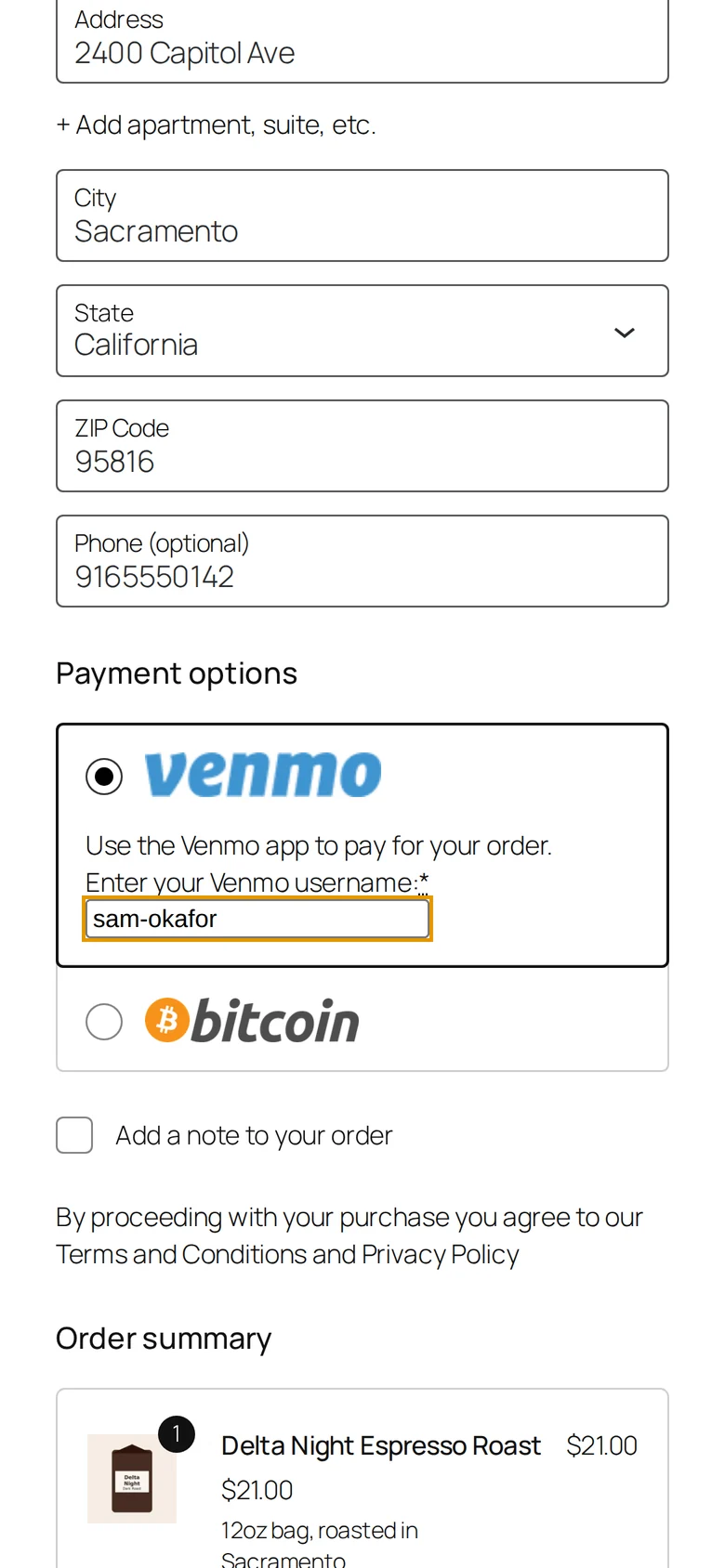
- 1 · Checkout@maria-lopez-916The customer picks Venmo and enters their username. Account holders have it saved for next time.
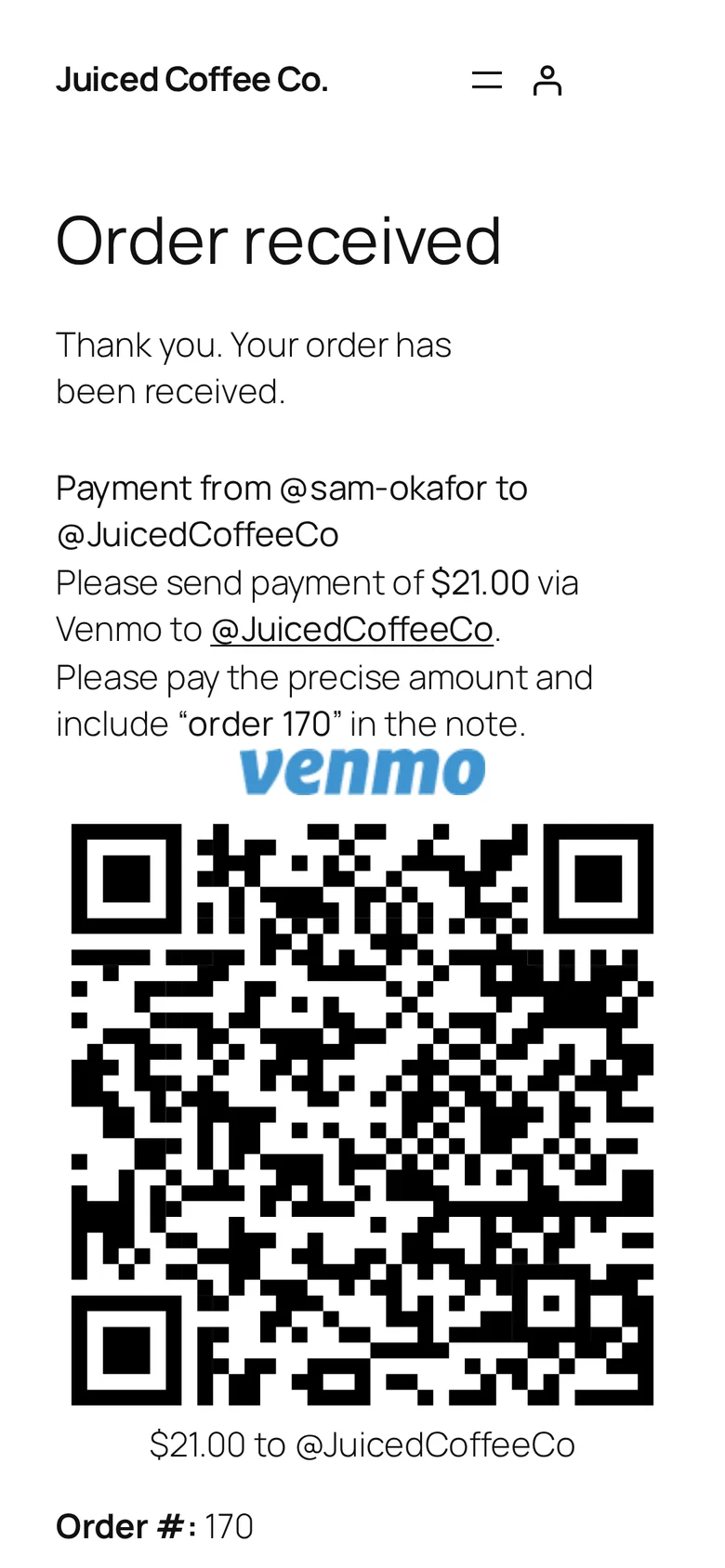
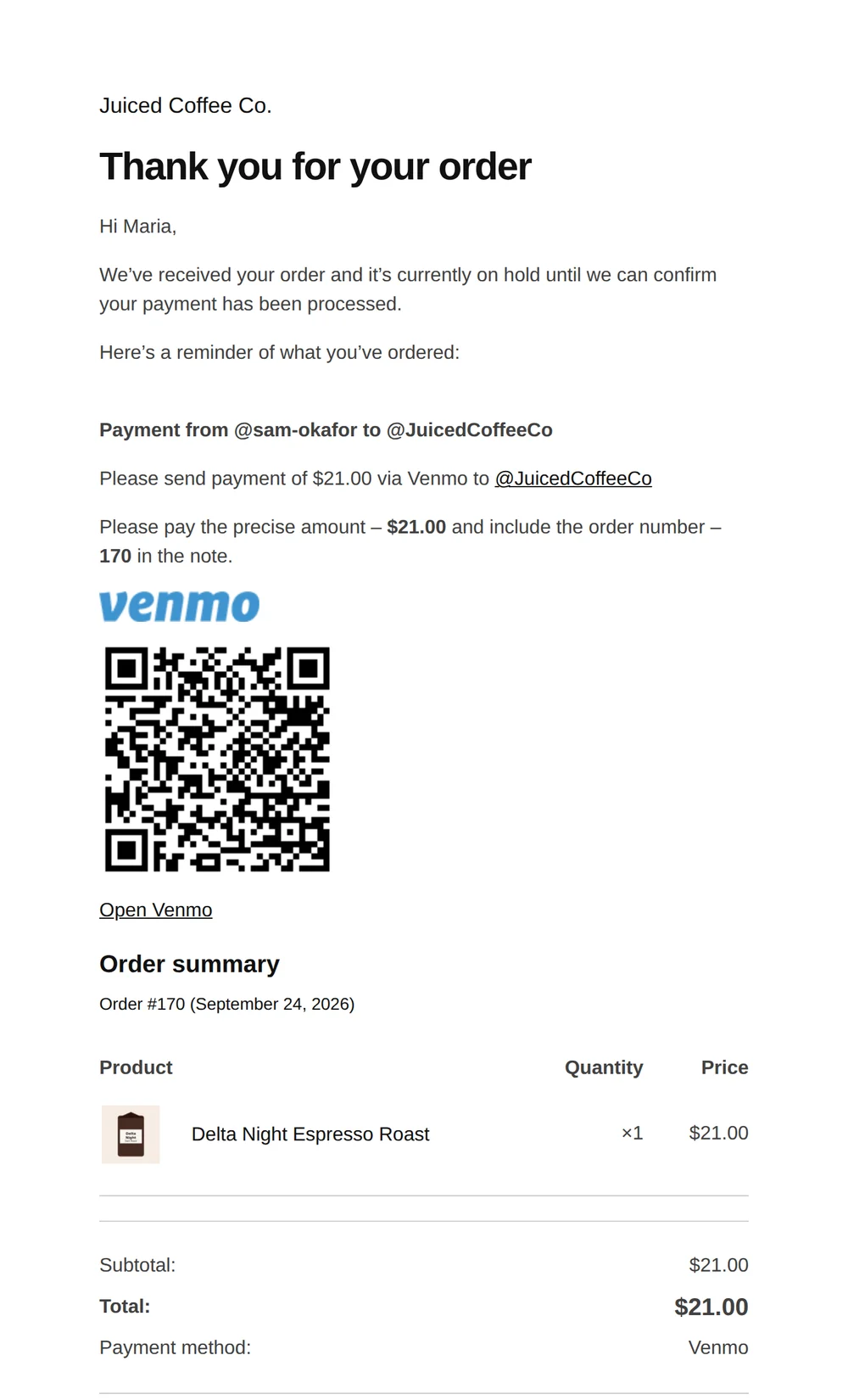
- 2 · Instructions$16.50 · “order 166”A QR code and a link open Venmo with the amount and note already filled in.
- 3 · Venmo email“Maria Lopez paid you $16.50”It lands in your mailbox, or gets forwarded to your site’s email endpoint.
- 4 · Matchnote → username → email → nameThe email is matched to an unpaid order, trying the order number in the note first.
- 5 · PaidOn hold → ProcessingThe transaction ID is saved and linked to venmo.com, and the email is kept on your site, linked to the order.
Real values from the demo store used for these screenshots. Order 166 was reconciled seconds after its Venmo email arrived.
What your customer sees
Pay the way they already pay friends.
No card form and no redirect to another site. The instructions sit right at the top of the order page and are repeated in the order email.
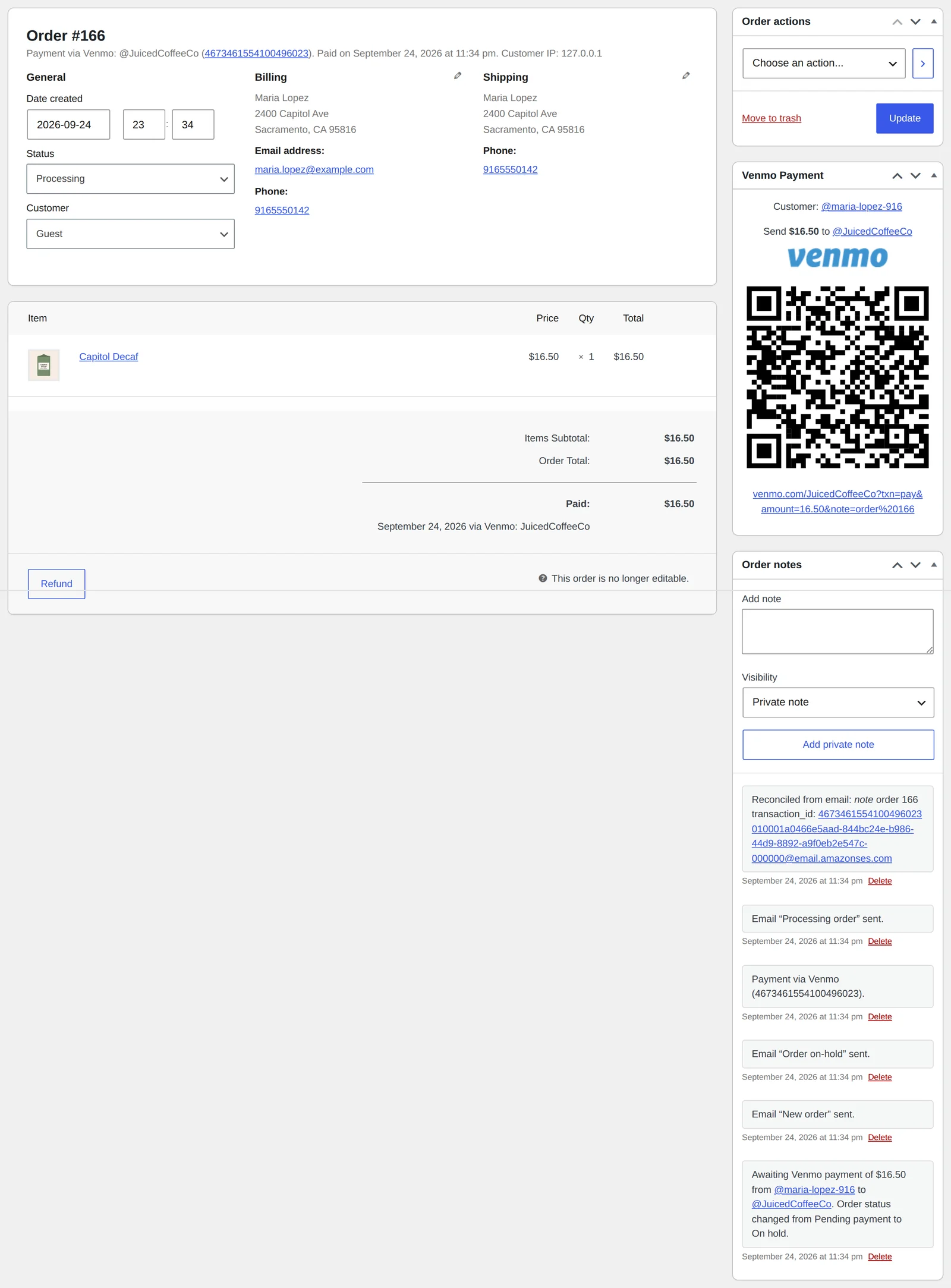
What you see as shop manager
Stop checking the Venmo app against your order list.
Paid orders mark themselves paid
When a match is found, the order moves to Processing, the customer gets the normal WooCommerce email, and the order notes show exactly which Venmo email paid it.
- Transaction ID links to the payment on venmo.com
- Customer and store usernames on every order
- A QR code on the order you can show at the counter
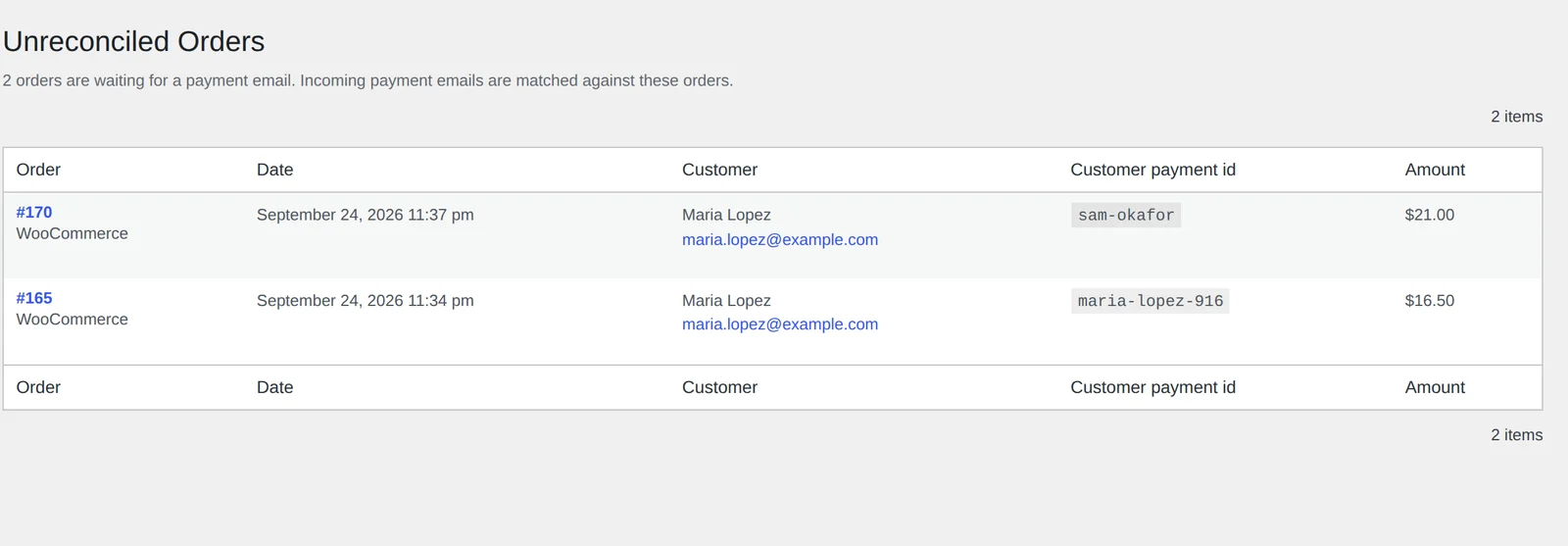
See who still owes you
Unreconciled Orders lists every order and donation still waiting for a Venmo email, with the username the customer said they’d pay from.
- Covers WooCommerce orders and GiveWP donations
- Linked from the Plugins screen
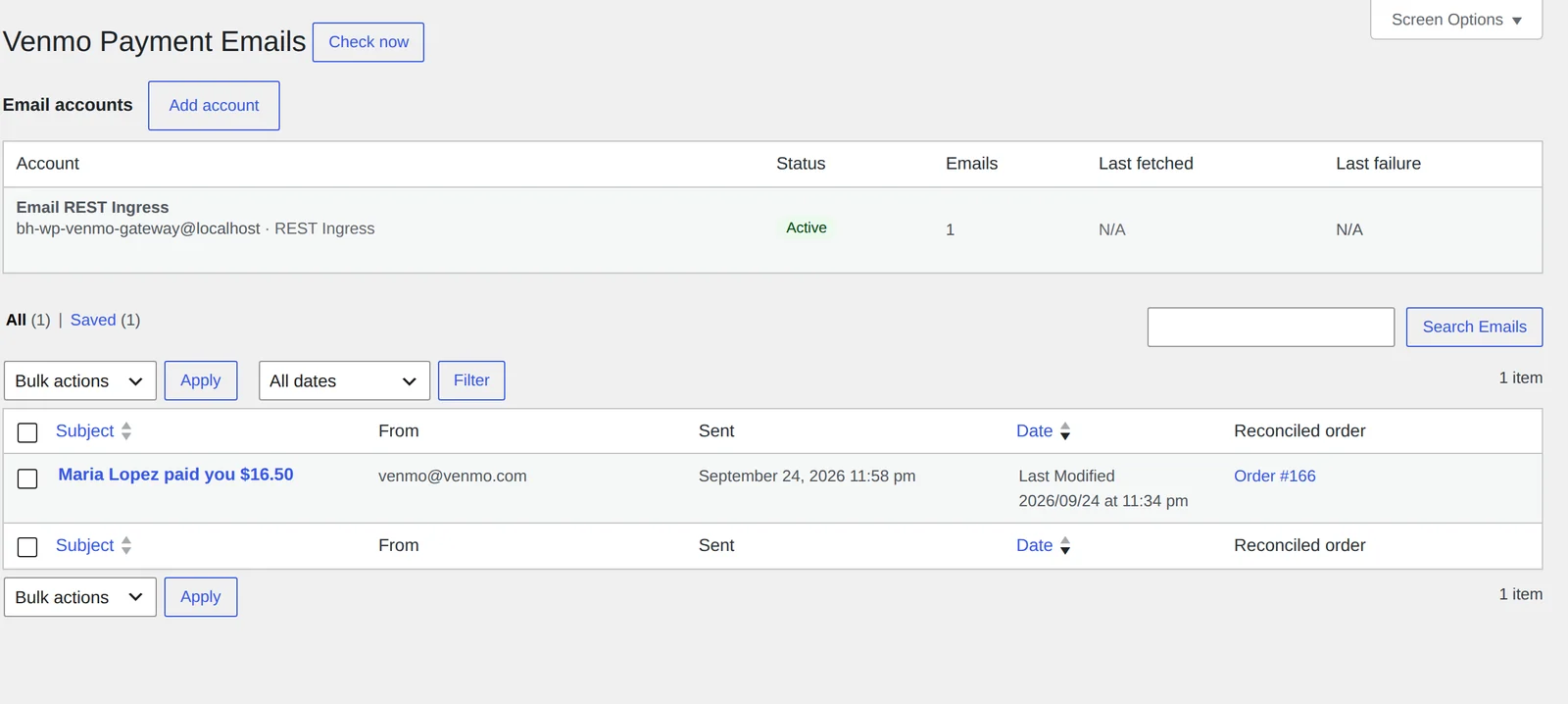
Every payment email, kept
Payment emails are stored on your site with what was extracted from each one and the order it paid. Connect an IMAP mailbox, or forward emails to your site’s endpoint from a service such as a Cloudflare Email Worker.
- Credentials are stored encrypted
- “Check now” fetches new mail on demand
- Checks run 5 minutes after each order, then hourly
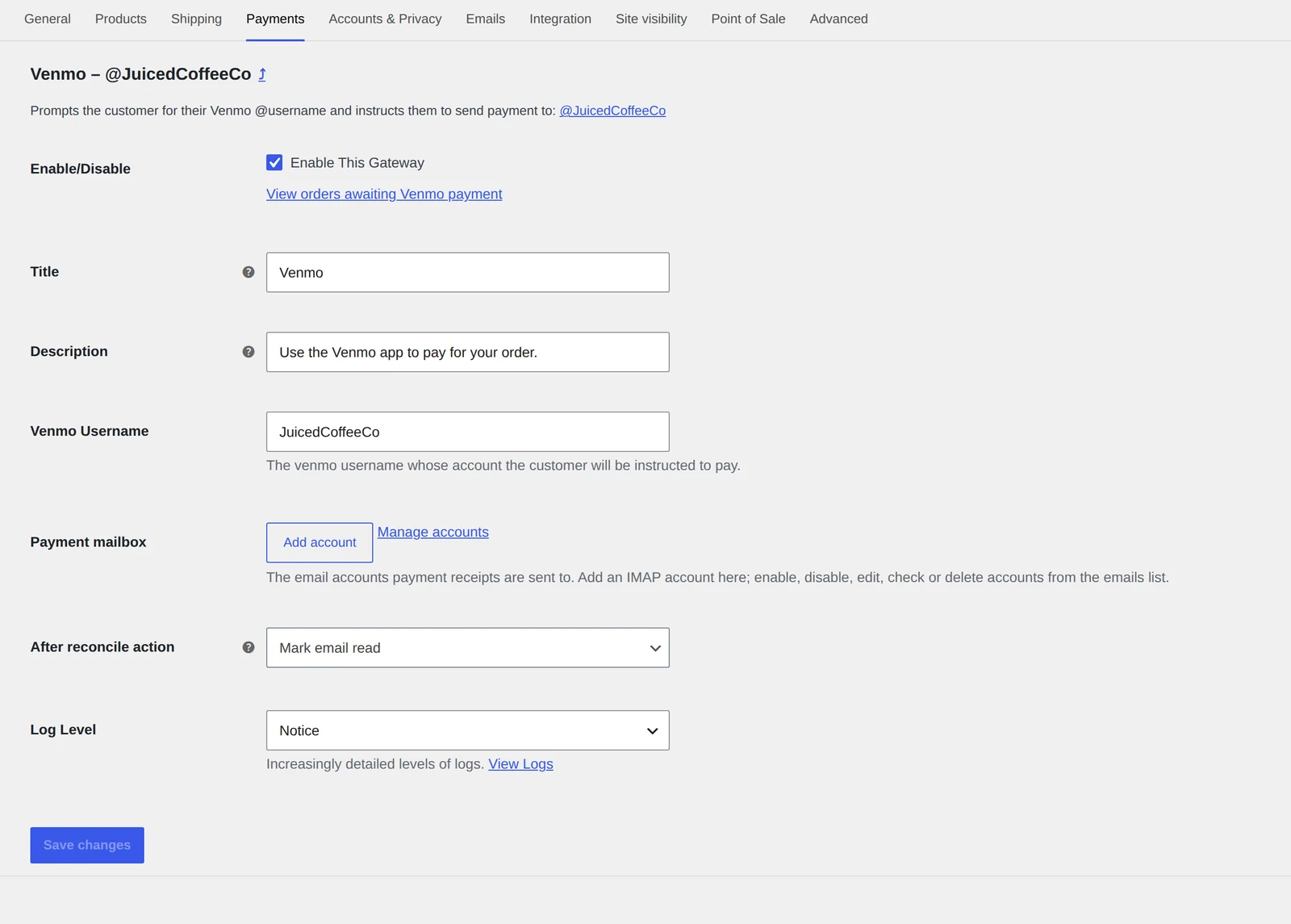
Set up in two fields
Enter your Venmo username and add the mailbox that receives Venmo’s emails. Everything else has sensible defaults.
- Custom title and description at checkout
- A link straight to orders awaiting Venmo payment
- Adjustable logging with a built-in log viewer
Everything in the box
Venmo payments without the Venmo busywork.
Automatic matching
Venmo emails are matched on the order number in the note, then the customer’s username, email and name. An order is only marked paid when the amount matches exactly.
Your mailbox, your data
Emails are fetched by your own site, and receipts never pass through a third-party service.
Lower fees than PayPal checkout
You pay Venmo’s standard seller fee (1.9% + $0.10 on a business profile), not the 3.49% + $0.49 for Pay with Venmo through PayPal.
QR code and app link
The amount and order note are filled in for the customer, so fewer payments arrive with the wrong amount or no note.
Remembers customers
Customers with an account have their Venmo username filled in at checkout automatically.
GiveWP included
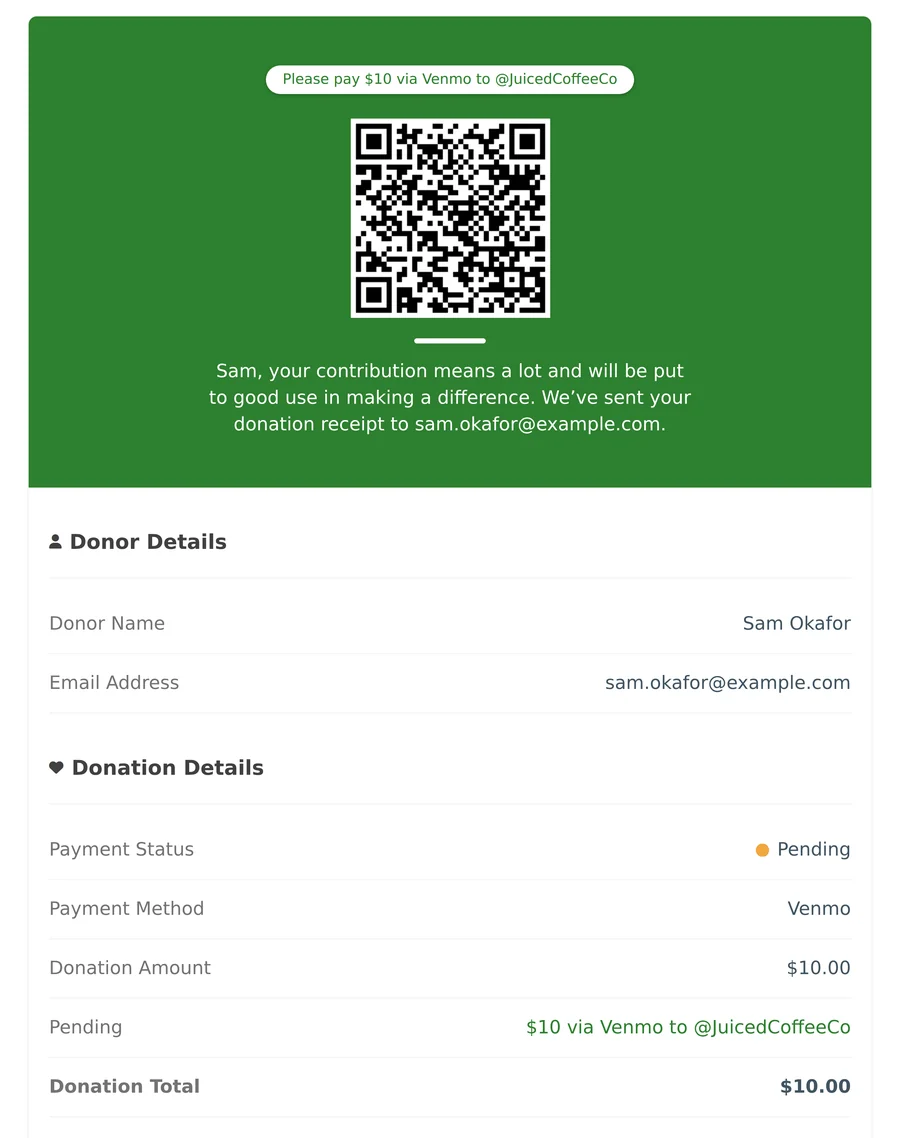
Donation forms get the same QR code, plus a “Mark paid” action in GiveWP’s legacy donations list.
Checkout blocks
Supports the Checkout block, the classic shortcode checkout, and HPOS order storage.
Pass on the fee
Works with Payment Gateway Based Fees to add Venmo’s fee at checkout if you want to.
Nothing hidden
Fetched emails, matches and order changes are logged, and you can read the log in wp-admin.
How it compares
Automatic confirmation without a PayPal account or a monthly receipt service.
| Juiced Venmo Gateway | WooCommerce PayPal Payments (Venmo button) | “Checkout with Venmo” + emailreceipts.io | D613 Pay + Auto-Verify | |
|---|---|---|---|---|
| Account needed | Your Venmo account | PayPal Business | Venmo account | Venmo account |
| Processing fee | Venmo’s seller fee | 3.49% + $0.49 | Venmo’s seller fee | Venmo’s seller fee |
| Confirms payment automatically | Yes, from your own mailbox | Yes, via PayPal API | Via a paid SaaS (free to 50/mo, then from $9/mo) | Via a paid add-on |
| Payment receipts pass through a third party | No | PayPal | emailreceipts.io | Add-on service |
| Works on desktop checkout | Yes, with QR code | Mostly mobile | Yes | Yes |
| GiveWP donation forms | Yes | Not advertised | Not advertised | Not advertised |
Competitor details come from each plugin’s wordpress.org listing and vendor site, checked September 2026. Venmo fees come from venmo.com and paypal.com. Venmo requires that payments for goods and services go to an authorized account, and a business profile is the simplest way to comply.
Coming next
Subscriptions fund the roadmap.
- Payment remindersA nudge email for unpaid orders, then an automatic cancel that frees up stock.
- Live order pageThe customer’s page updates to Paid by itself, without a refresh.
- Mark paid for ordersRecord a manual Venmo payment on a WooCommerce order in one step.
- Unmatched-payment alertsAn email to you when money arrives that doesn’t match any order.
Pricing
The plugin is free. The subscription pays for support.
Venmo Gateway is GPL software you can download from GitHub today. A subscription gets you a licence for your shops, a person who answers when a payment doesn’t match, help getting set up, and a say in what gets built next.
Community
$0
- Full plugin, every feature
- Source and releases on GitHub
- Public issue tracker
Subscription
$200 per year
- Licence for 5 live sites, plus 5 staging sites
- Email support from the developer
- Help with setup: connecting your mailbox
- Priority on bug fixes and feature requests
- Renews annually
How support works
- Open a ticket from your account, with the order number and your log file attached (Settings › Log level › View logs).
- A first reply comes from the developer who wrote the plugin, not a first-line script.
- Bugs become public GitHub issues, so you can follow the fix and the release it ships in.
- Fixes ship as a tagged release with notes on what changed and whether you need to do anything.
Support statistics
| Median time to first reply | published from launch |
| Median time to resolve | published from launch |
| Tickets closed last 30 days | published from launch |
We publish these numbers every month, whether they’re good or bad.
Changelog
Release notes
4.3.0 September 2026
- Transaction ID on the order links to the payment on venmo.com
- Shared log-level setting for WooCommerce and GiveWP
4.2.1 September 2026
- Unreconciled Orders page for orders and donations
- Link from settings to orders awaiting Venmo payment
- Each processed email shows what was extracted and which order it paid
4.2.0 August 2026
- Payment emails can be sent to your site through its REST endpoint
4.1.0 July 2026
- GiveWP support
Questions
FAQ
Do I need a Venmo business profile?
We recommend one. Venmo’s rules say payments for goods and services should go to an account authorized to receive them. A business profile charges 1.9% + $0.10 per payment.
Which mailbox should I connect?
The one your Venmo account sends notifications to. A mailbox or alias used only for Venmo is best. You can also forward just the Venmo emails to your site’s endpoint and not connect a mailbox at all.
What if the customer forgets the note?
The plugin falls back to matching their Venmo username, then their email address and name. Anything it can’t match stays on the Unreconciled Orders page for you to check.
What if they pay the wrong amount?
An order is only marked paid when the amount in Venmo’s email matches the order total exactly. Otherwise it stays on hold and on the Unreconciled Orders page, so you can decide what to do.
How do refunds work?
Send the money back in the Venmo app, then record the refund on the WooCommerce order.
What hosting does it need?
WordPress 6.9 or newer, PHP 8.4, and WooCommerce and/or GiveWP. Connecting a mailbox needs outgoing IMAP to be allowed by your host. The endpoint option works anywhere.