Bitcoin Gateway
Original price was: $200.00.$20.00Current price is: $20.00. / year
Bitcoin Gateway for WooCommerce
Bitcoin payments that land in your own wallet.
Paste your wallet’s master public key and you’re done setting up. Each order gets a fresh address derived on your own server. The customer scans a QR code, the plugin watches the blockchain, and WooCommerce marks the order paid. There’s no payment processor, no account to open, and no cut of each sale.
v2.0.0WordPress 6.9+PHP 8.4 + GMPBlock & classic checkoutHPOS ready
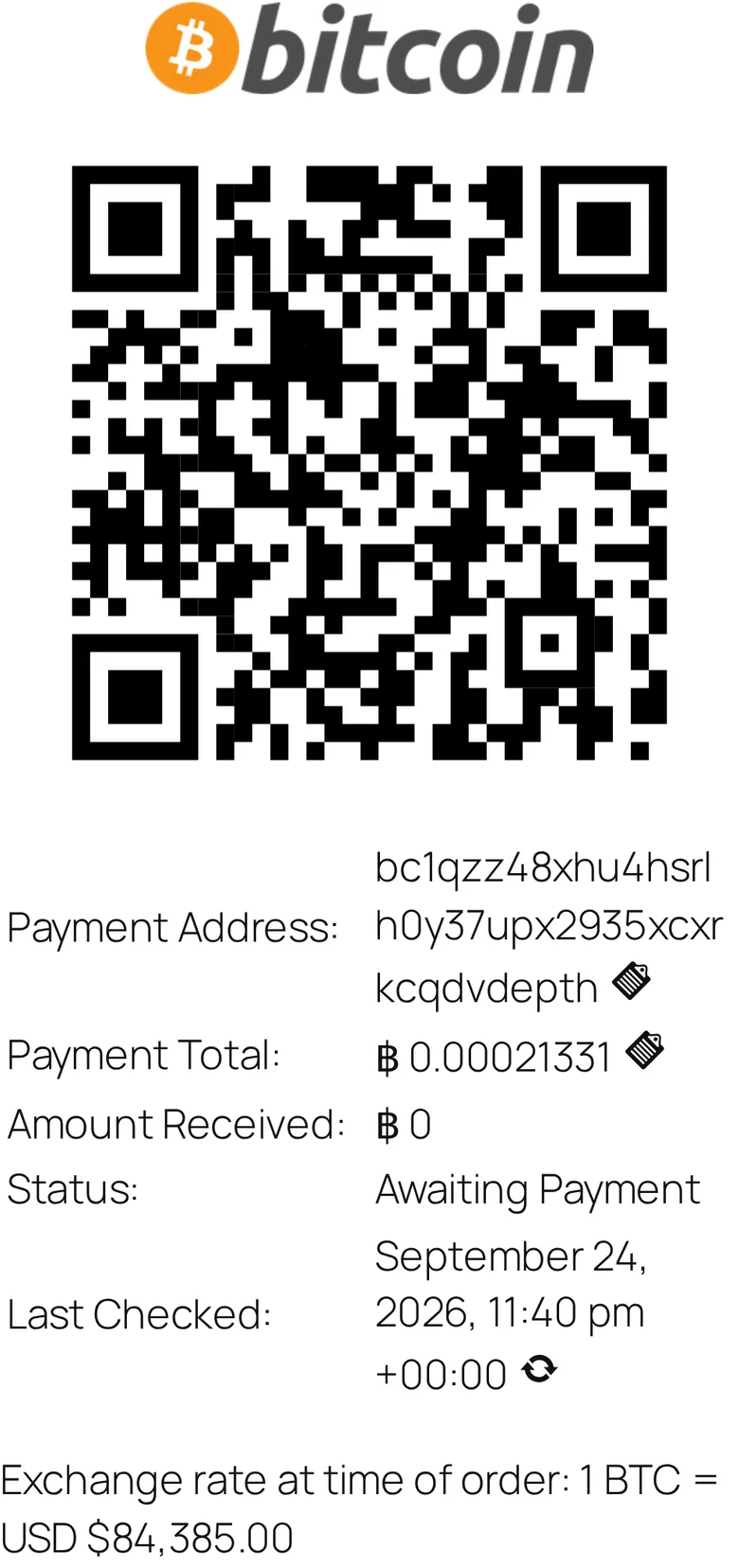
Order #178
path m/84’/0’/0’/0/5
฿0.00021331 at $84,385
Awaiting payment
path m/84’/0’/0’/0/5
฿0.00021331 at $84,385
Awaiting payment
- 1 · Checkout1 BTC = $84,385.00The customer sees today’s rate beside the Bitcoin option.
- 2 · Addressbc1qzz48…vdepthThe next unused address from your zpub is tied to this one order and never reused.
- 3 · Amount฿0.00021331The rate at order time is saved on the order. The QR code carries both address and amount.
- 4 · Watchevery ~10 minAction Scheduler checks the address and logs each transaction as an order note.
- 5 · PaidOn hold → ProcessingOnce the confirmed total reaches the order total, the order is marked paid.
Real values from the demo store used for these screenshots.
What your customer sees
Three screens, and nothing new to learn.
Bitcoin is one more option in the checkout they already know. After ordering they get everything they need to pay: on the page, in their email, and under My Account.
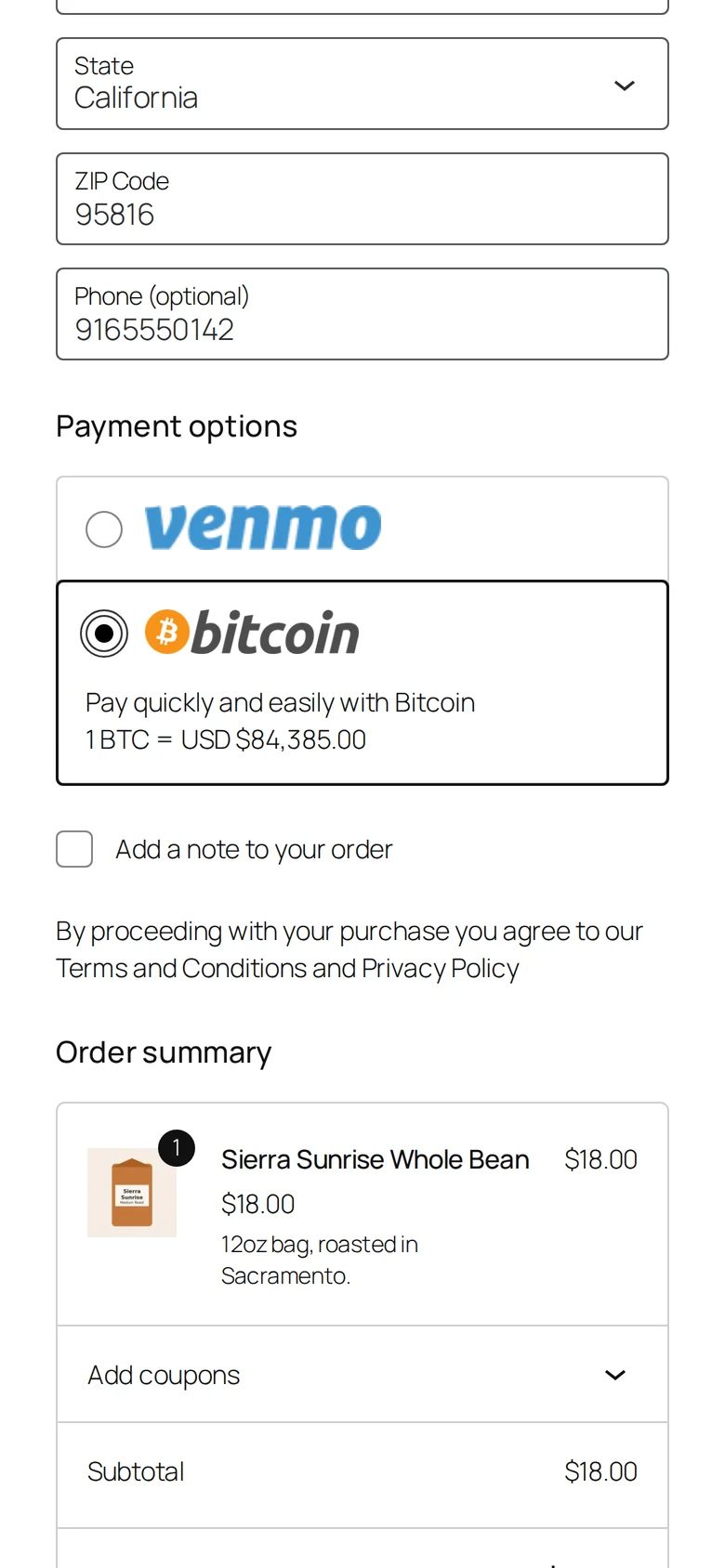
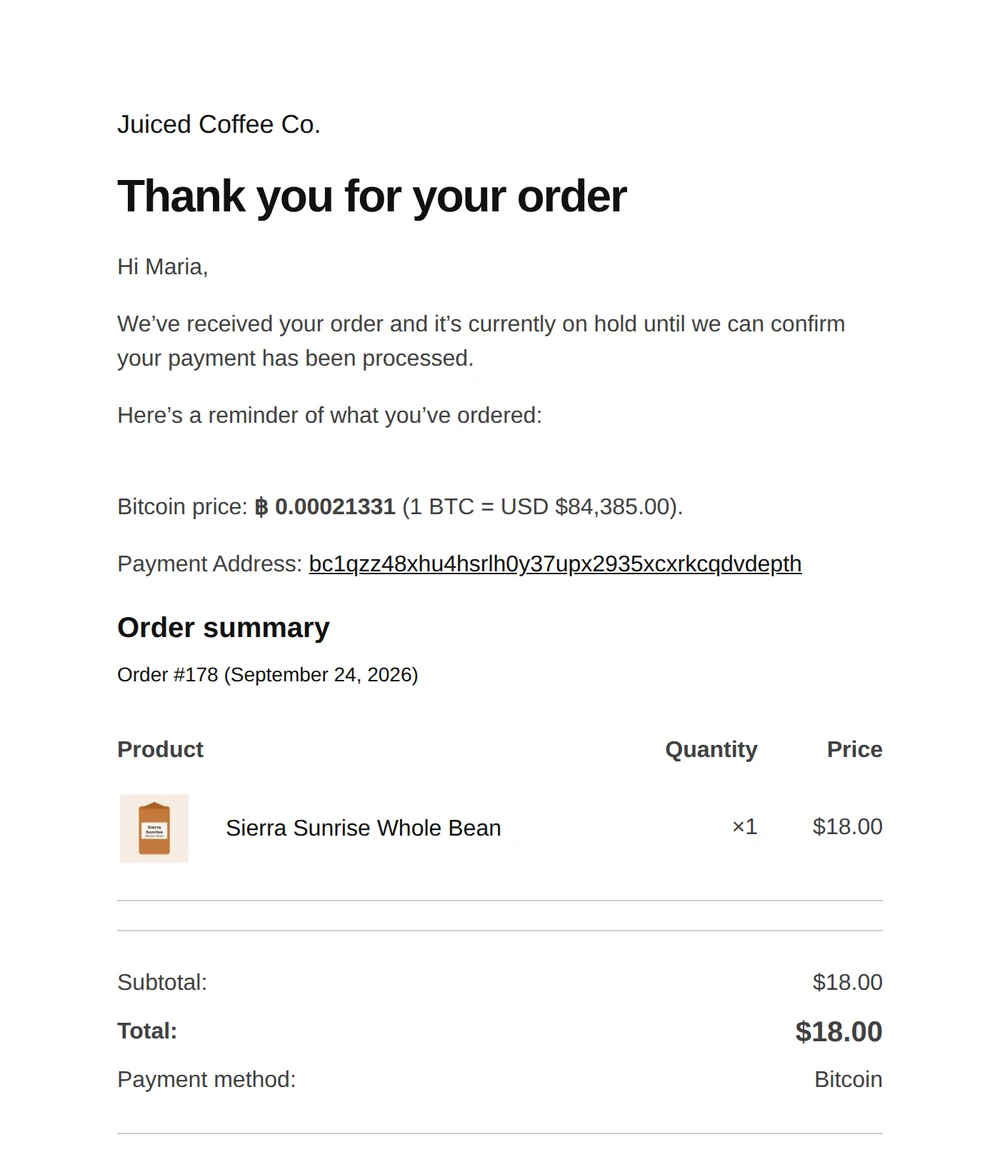
What you see as shop manager
Every address, amount and transaction, in plain WordPress screens.
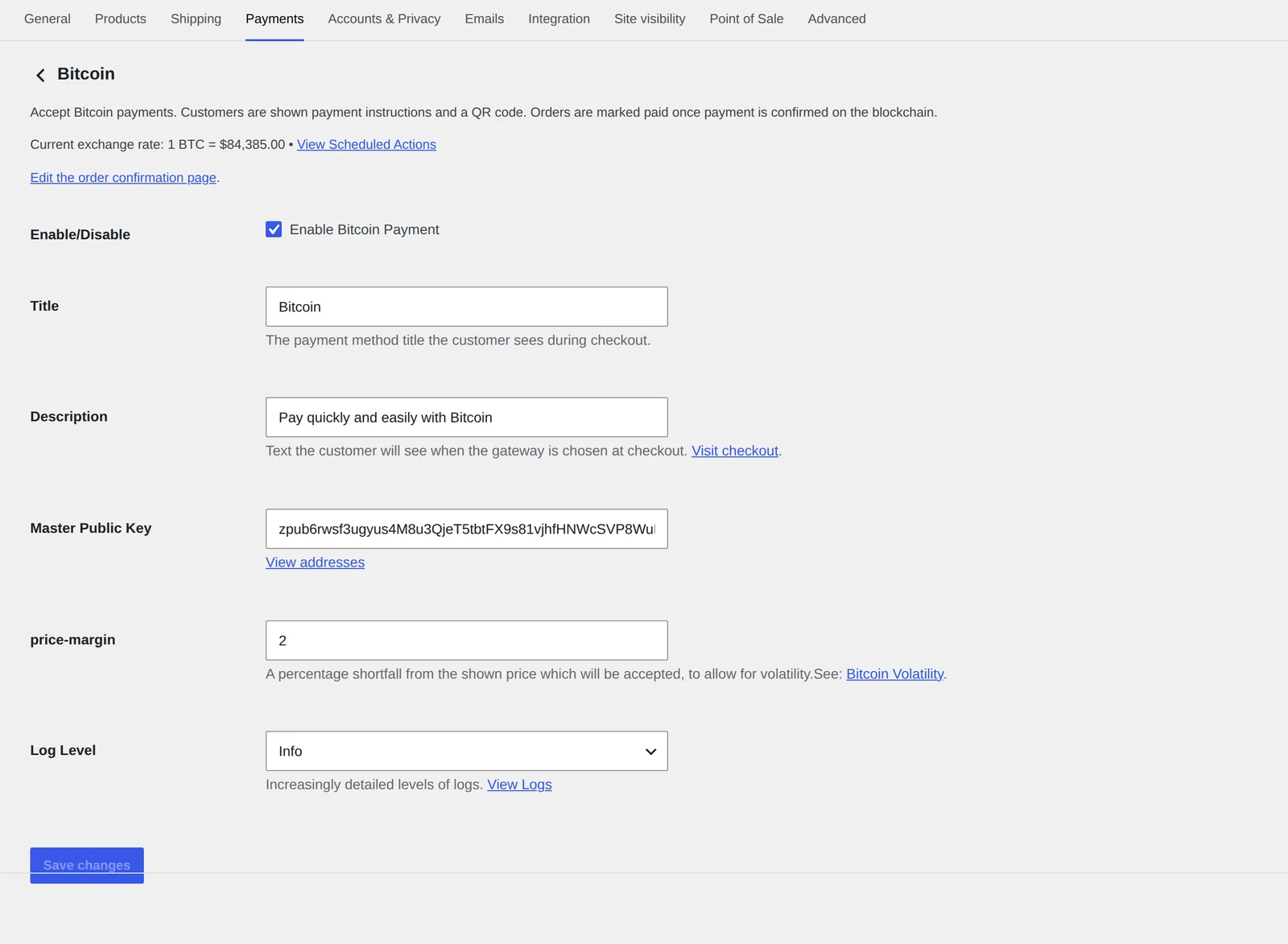
One field to set up
Paste the xpub, ypub or zpub from Electrum, Sparrow or your hardware wallet’s app. Addresses are generated locally, and no private key ever touches the server.
- Live exchange rate and a link to scheduled checks at the top
- “Visit checkout” opens a real test checkout in one click
- Adjustable logging with a built-in log viewer
Payment details on the order
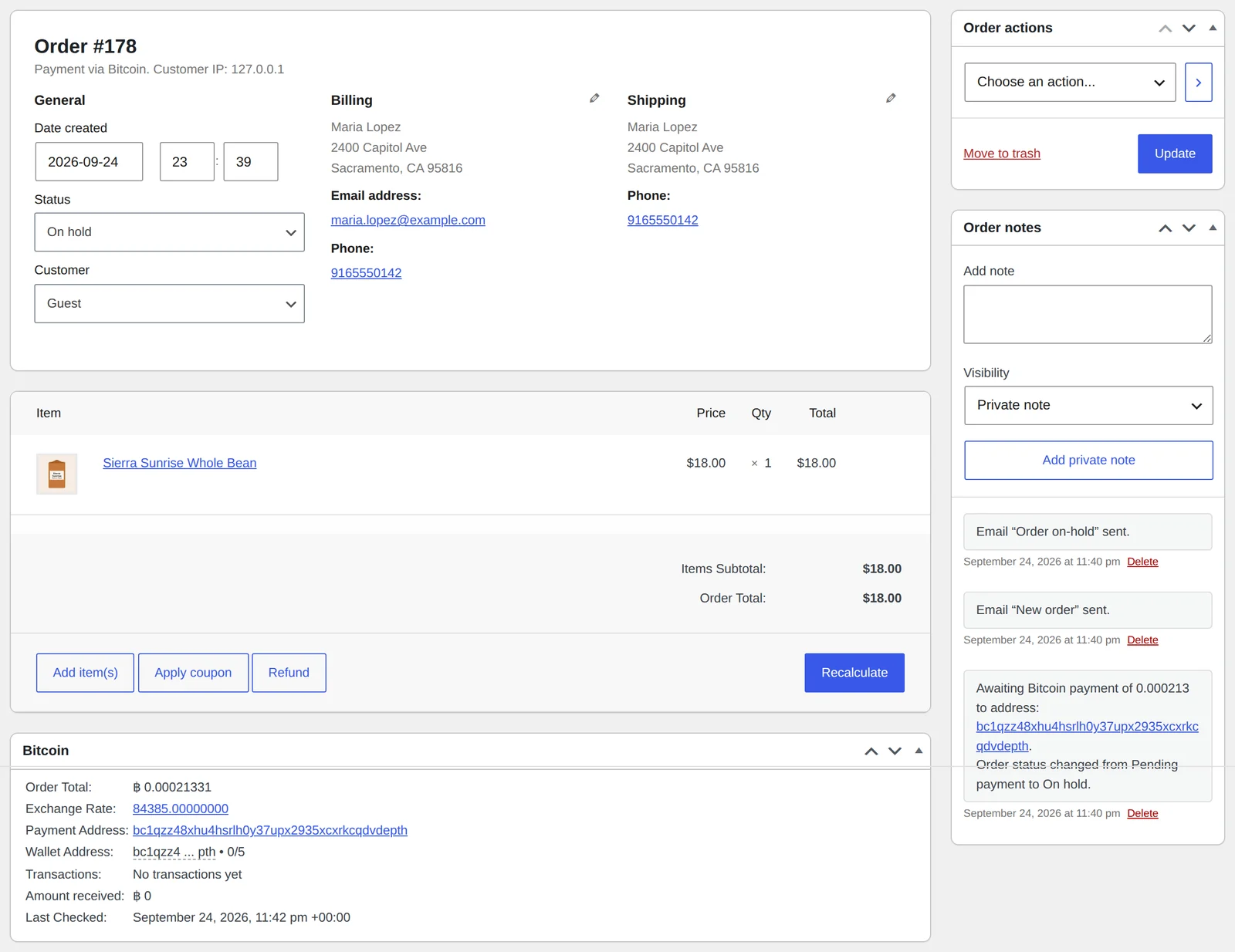
The Bitcoin panel on each order shows the BTC total, the rate used, the payment address with its derivation path, what has been received, and when the blockchain was last checked.
- Order notes record every new transaction
- Addresses link to a block explorer
- Orders stay on hold until the payment confirms
An address book you can audit
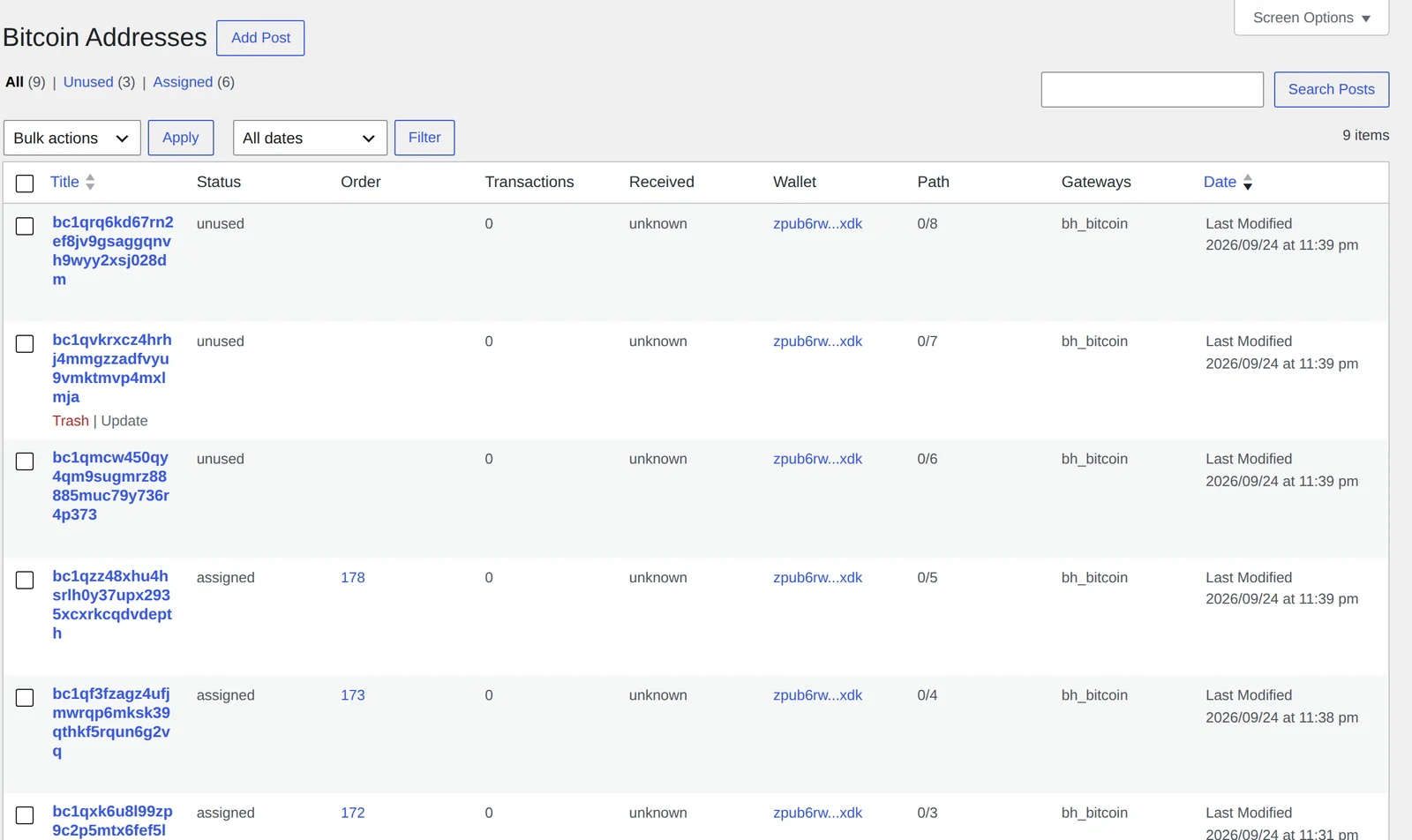
Wallets and addresses are standard WordPress list tables. Filter by unused, assigned or used, and see each address’s order, transaction count and derivation path.
- Addresses are generated in the background, ahead of checkout
- WP-CLI:
wp bh_bitcoin order list
Everything in the box
Built the way WordPress plugins should be.
Self-custody
Customers pay straight into your wallet. The plugin only ever holds your public key.
No sign-up, no fee
There’s no processor account, API key or KYC. Your only cost is the network fee the customer pays.
Private by design
No customer or product data leaves your site. The only outside calls are address lookups to Blockstream.info and a price from Bitfinex.
Never reuses an address
One address per order keeps payments easy to match and easier on your privacy.
Checkout blocks
Supports the Checkout block, the classic shortcode, HPOS, and six order-confirmation blocks for block themes.
Handles partial payments
Paired with Woo Cancel Abandoned Order, partly paid orders are never cancelled automatically.
Your templates
The classic thank-you page, emails, My Account and admin views can be overridden with standard WooCommerce template files.
WP-CLI commands
Generate addresses, check transactions, and list gateways and orders from the terminal.
Developer hooks
bh_wp_bitcoin_gateway_payment_received lets any other checkout reuse the address and payment engine.
How it compares
Other Bitcoin plugins make you pick between custody, fees and running a server.
| Juiced Bitcoin Gateway | BTCPay Server | Blockonomics | MyCryptoCheckout | Coinbase Commerce | |
|---|---|---|---|---|---|
| Funds go straight to your wallet | Yes | Yes | Yes | Yes | No, custodial |
| Third-party account needed | None | Your own BTCPay server | Blockonomics account | MCC account/licence | Coinbase account |
| Per-sale fee | 0% | 0% | 1% after 10 free | Free to 5 sales/mo, then licence | 1% |
| Server to run | Just WordPress | BTCPay (Docker, node) | None | None | None |
| Order data sent to a vendor | Never | To your own server | No | Payment details | Yes |
Competitor details come from each plugin’s wordpress.org listing and vendor site, checked September 2026. Tell us if something has changed and we’ll correct it.
Coming next
Subscriptions fund the roadmap.
- Confirmation settingsChoose how many confirmations to wait for, with zero-conf for digital goods.
- Your own nodeCheck payments against your own Bitcoin node or explorer, with automatic failover.
- GiveWP donationsTake Bitcoin donations with the same address engine.
Pricing
The plugin is free. The subscription pays for support.
Bitcoin Gateway is GPL software you can download from GitHub today. A subscription gets you a person who answers when a payment doesn’t match, help getting set up, and a say in what gets built next.
Developer
PHP & TypeScript
- Contribute to development
- Source and pull requests on GitHub
- Public issue tracker
Store
$100 $100 first year · $200 per year
1 site
1 site
- Email support from the developer
- Help with setup: the xpub from your wallet
- Priority on bug fixes
Charity & New Business
$ Discounted
contact support for a coupon
contact support for a coupon
- Free for volunteer organisations
- Reduced pricing for new businesses
- Feedback requested in exchange
Changelog
Release notes
2.0.0 current release
- WooCommerce block checkout support
- Transactions shown in the order’s Bitcoin panel
- Order-confirmation blocks for block themes
- HPOS compatibility declared
- WP-CLI commands and end-to-end tests in CI
1.3.3
- Major file and folder reorganisation
- Better logging
1.3.0
- xpub and derivation path shown on the order
- Admin order panel moved to an overridable template
Questions
FAQ
Where do I find my master public key?
In Electrum, open Wallet › Information. Sparrow and most hardware-wallet apps show it in the account or wallet settings. It starts with xpub, ypub or zpub. Use a wallet you keep only for the shop.
A payment shows in WooCommerce but not in my wallet. Why?
Wallets only scan a limited number of unused addresses (the gap limit). A busy shop can go past it. In Electrum’s console, run wallet.change_gap_limit(200) and then wallet.synchronize().
What if the customer underpays?
Anything received is recorded on the order, and a partly paid order stays on hold so you can follow up with the customer. A setting to accept small shortfalls from price moves is on the way.
How do refunds work?
Send the refund from your own wallet, then record it on the WooCommerce order. The plugin never has spending access, so it can’t refund for you.
What data leaves my site?
Only the payment address, sent to Blockstream.info to look up transactions, and a price request to Bitfinex. Customer names, emails and products stay on your server.
What hosting does it need?
WordPress 6.9 or newer, WooCommerce, and PHP 8.4 with the GMP extension. Action Scheduler, which ships with WooCommerce, runs the background checks.